



If you’ve ever looked at the backend of your website and wondered what the H1, H2, P, etc. tags were, I’m here to tell you.
And actually, if you want your website to rank on Google, this is absolutely essential to understand.
Because, if you’re finding this blog post, I’m guessing you really just want your website to be a set-it-and-forget-it sales tool for your business.
As in, you want to know your SEO is optimized, working, and prepared to bring in ideal clients or customers for your business.
You don’t need an in-depth technical guide. You need to know what will work for your website so you can get back to running your business. If that’s you? You’re in the right place.
What do the HTML Tags (H1, H2, P, etc.) on your website mean?
Put quite simply, these tags are meant to describe how a web page is organized.
Think of your website organized like a book, with different sections, chapters, subsections, etc. On the back end, each page should be organized intuitively so you know what is most important and how information should flow.
It’s important to label each section of text on your web pages with the proper tag for accessibility purposes and for Google’s crawlers to understand how to read your website.
Be sure your heading hierarchy is set up for readability, not design
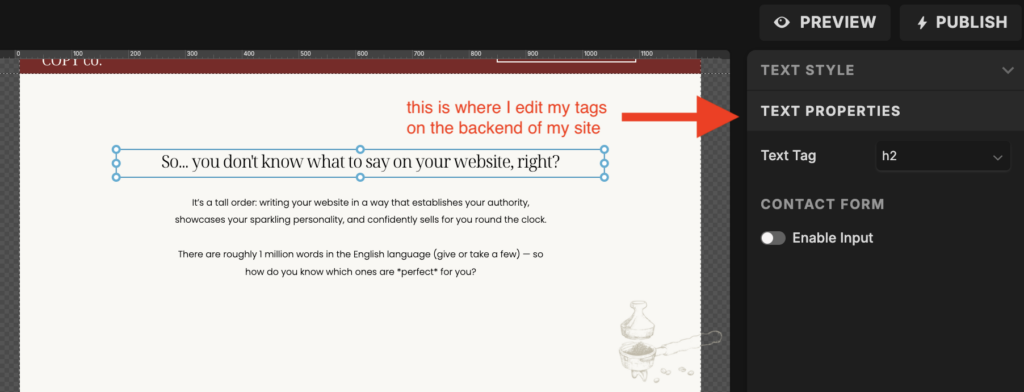
Depending on what website builder you’re using (WordPress, Showit, Squarespeace, etc.) your website might automatically assign a tag to each piece of text you’re using depending on the design.
You click “add subheader” and it automatically gives that text an H2 tag.
Just make sure you’re aware of this when you’re making your website, because you might have to go back through and manually change the assigned tag to fit the structure of your page, not what’s automatically assigned based on the size of text or font you wanted.
Each page of your website should have only one H1 tag
If you take only one thing away from this blog post, it’s this!
Whatever part of your page you assign the H1 label tells crawlers what the page is about. Think of this as the title of your book. Each book only has one main title, so adding a second H1 will make it hard to tell what the page is actually about.
Now, typically this would be the biggest text on the first panel of the page. This is often how I label my H1s on my web pages, however, I always want to make sure that my target keyword is included in my H1 tag, so I might shift the H1 tag to a subheader that naturally contains my keyword if that’s what I want to tell Google the page is about.
Label subheaders with H2 or H3 tags
Now that you have your H1 decided, look at the rest of the larger text on each page with an H2 or H3 tag intuitively.
Make sure you don’t skip tags too. So, even though you might like the font size of the H4 tag, don’t use that one unless you’re placing it under an H2 and H3 respectively. You can always go back and change the font size if needed, but make sure the hierarchy is prioritized.
Label body text with the P tag
Everything that is a paragraph, should be labeled with the P tag. This indicates that it’s the body text of your page, so crawlers will see that this is the real meat and potatoes of the page.
If you post blogs, you might recognize this tag, because the body text of your blog will be written with this tag as well.
And now’s the perfect time to tell you that all this HTML Tag direction is applicable to your blog posts as well. Make sure you’re organizing them the same way, although your blogs will likely have much more body text (given the P tag) than your typical website pages.
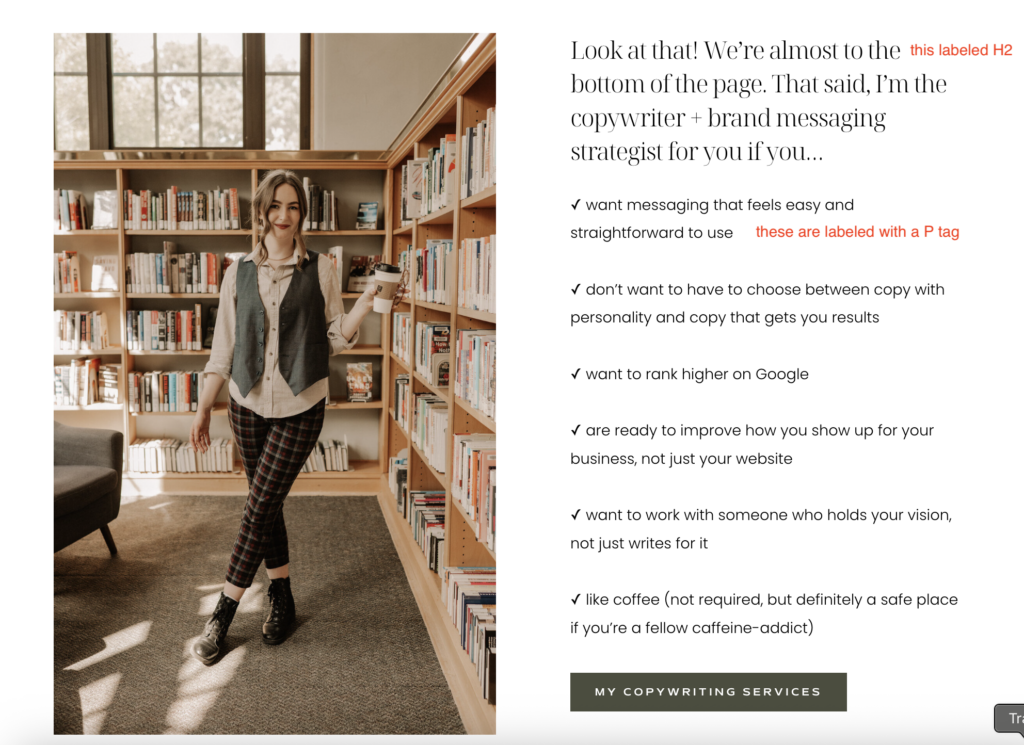
You don’t have to use every tag if it’s not relevant to your page
Listen: a lot of the other posts about this topic are massive. Those massive blog posts probably will use all tags (H1-H6.)
But don’t feel like you need to use all those tags if you don’t have enough text to.
The goal of optimizing your HTML tags isn’t to use all of them, but to make sure your site is easy to read from an accessibility and crawler standpoint.
Well organized website text doesn’t do anything for you if your copy isn’t written to convert
Ok! Now that your heading hierarchy is optimized, Google will have an easy breezy time reading your website, which is great, because then she’ll be more likely to recommend people go to your website.
However, getting people to your website isn’t the only goal here.
You also want to make sure people actually take action when they land on your site (inquire for your services, sign up for your email list, or purchase a product.)
If you want to make sure that your website copy is written to both optimize your SEO and convert the traffic you get into buyers, it’s time to work with a copywriter who is specialized in both those things.
If you want me to write your website copy for you (and make your life soooo much easier in the process) you can check out my copywriting services here to see how we can work together.